- Other Fluke companies:
- Fluke
- Fluke Biomedical
- Fluke Networks
- Fluke Process Instruments
See more Fluke brands


What is a temperature calibrator?
What are the parts of a temperature calibrator?
What are the different types of temperature calibrators?
What things are calibrated with a temperature calibrator?
Who are common end-users of temperature calibrators?
What is temperature calibration?
Field, laboratory, and primary temperature calibration
Hart Scientific products and the Fluke Calibration brand
How to identify the right temperature calibrator for me
Typically, a temperature calibrator is a device that can simulate temperature sensors or a device that sources temperature as a point of reference at a known level of uncertainty or accuracy that is compared to temperature readings of a temperature measuring device, such as a thermometer or transmitter, of unknown or suspect accuracy.

A temperature calibrator can mean different things to different people. Often a person’s application changes the way they’d define a temperature calibrator. When some people think of a temperature calibrator, they’re thinking of a handheld device that electronically simulates temperature sensors as if they were at a temperature of interest. Others define a temperature calibrator as a heat source like an ice bath or a furnace or oven that has a calibrated display. And another group of people will say a temperature calibrator is a system of devices used to simulate or source temperature.
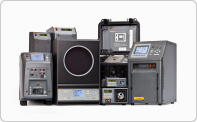
Common devices that are often referred to as a temperature calibrator include:
Regardless of the different ways people think of a temperature calibrator, the principle is the same – a temperature calibrator is an instrument used to determine if a temperature device is performing within specified limits of uncertainty or accuracy.
Did you know that you could be a temperature calibrator? Say your loved one is sick and feverish. You take his or her temperature with a thermometer, but you’re surprised to find that the reading is 98.6°F, the average temperature of healthy humans. Now you wonder if your thermometer is inaccurate. You’re feeling fine so you take your own temperature and see that the thermometer says your temperature is 96.6°F, two full degrees below where you expect it to be. In your mind, you do the math and apply a two-degree adjustment and realize your loved one likely has a fever at about 100.6°F. In a very rudimentary way, you were the reference temperature source of known accuracy – you were the temperature calibrator.
All temperature calibrators must have a way to source, read and report the temperature.
Two common ways to source temperature include 1) simulation and 2) producing physical heat.


There are a few common ways temperature calibrators read and report temperatures. One common way is for the device that sources the temperature to have an input for measuring the DUT sensor. The temperature calibrator display then shows both its own temperature and the temperature of the DUT. Another common way is to insert a DUT sensor into the calibrator and the DUT sensor stays connected to the display, transmitter, or readout that is measuring the sensor. Then the displayed temperature of the calibrator is compared with the display of the DUT. This method is recommended because it verifies both the DUT sensor and DUT display.

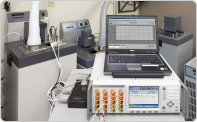
For higher accuracy and ease of use, some temperature calibrators are equipped with an interface that allows the user to connect a reference digital thermometer system that measures the temperature calibrator with higher accuracy and can automatically communicate with the calibrator to set the temperature points and take measurements.

One way to categorize most temperature calibrators is into simulators and physical temperature sources.
There are a few different types of temperature sensor simulators. It’s useful to understand the differences, some of which are obvious, but some can be very subtle.
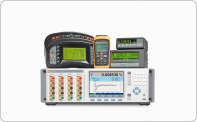
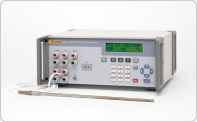
A benchtop simulator is designed for the calibration laboratory. Sometimes they are more accurate and have more measurement functions than a portable simulator. Calibration laboratories use benchtop-style simulators for testing and calibrating readouts and displays that measure temperature sensors.
Sometimes a benchtop-style simulator has several other electrical calibration output signals so they can be used for calibrating and testing all sorts of electrical measurement devices like hand-held multi-meters in addition to temperature readouts and displays. Often these types of benchtop-style simulators are referred to as electrical calibrators or multi-function calibrators.
Portable temperature sensor simulators are smaller, easier to transport, and often can run on battery power. They are used for on-site work for checking temperature sensor circuits such as 4-20 mA transmitter systems, oven displays, and PLC (programmable logic controller) systems and are usually optimized for this type of work.

The Documenting Process Calibrators (DPC) are more powerful versions of portable simulators. They have more software options and features geared for factory process calibration needs. Some of these can run automated test sequences, record results, control other test and calibration instrumentation, and connect to data systems that are commonly used in factories and industrial process control.
Physical temperature sources can be mostly classified as dry-block (dry-well) calibrators, furnaces or ovens, temperature baths, infrared calibrators, test chambers, and temperature fixed-points.
As the name implies, a dry-block calibrator uses no fluid to perform calibrations. The calibrator cools or heats a metal block into which the device under test (DUT), like a temperature probe or sensor, is inserted. The dry block normally includes an internal sensor and a readout screen that shows the temperature against which the DUT is compared. When lower uncertainty is required, a reference thermometer can be inserted in dry-block calibrators that have enough measurement wells. Some dry-block calibrators are equipped with a built-in readout and reference thermometer input, so an external thermometer readout is not needed for lower uncertainty measurements. The calibrator readout screen then displays both temperatures for comparison.

A thermocouple furnace is a type of dry-block calibrator that is rated for the highest temperatures (>500 °C). The reason it’s called a “thermocouple” furnace is that most RTDs and PRTs are not rated for extremely high temperatures while many thermocouples are.
A metrology well is another type of dry-block calibrator and is of the highest accuracy within the dry-block calibrator family. It utilizes zone-controlled heaters that provide better axial and radial specifications than a typical drywell. Fluke offers two lines of metrology-wells 1) lab grade 917x models and 2) field grade 914x models. The 914X model line is available with a process electronics option that provides 4-20 mA loop circuit for test and calibration of 4 to 20 mA measurement systems, RTD input, and thermocouple input all intended to reduce the number of instruments needed to do on-site work.
The main advantage of Dry-block calibrators over simulators is that the dry-block provides a true temperature calibration of the sensor. A simulator only simulates the sensor, so the assumption has to be taken that the sensor does not have any error which is a risky assumption. Temperature sensors change and drift over time, so they need to be checked also.
When compared to calibration baths, dry-block calibrators are less accurate than temperature baths with a reference thermometer. Also, it can be difficult and even impossible to measure odd-shaped sensors in a dry-block due to the difficulty of fitting the sensors into the metal blocks and test inserts with a snug fit. However, dry blocks are generally more portable than baths and avoid the need for fluids. They also move from one test temperature point to another more quickly than baths.
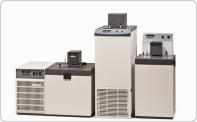
As the name implies, a temperature bath uses a stirred fluid in a tank as a transfer medium to perform calibrations. Different types of fluids may be required depending on the application and calibration temperature range.

Temperature baths heat or cool fluid to desired test temperatures. They have a built-in temperature control system that displays the temperature of the bath, but, for the most part, baths are designed to use an external thermometer system for accurately measuring bath fluid temperature. The temperature uniformity and stability of baths are so good that only a good quality thermometer system can take advantage of the low uncertainties.
Temperature baths, when used with an external reference, are more accurate than dry-blocks. Their fluid tanks normally offer more space to calibrate more sensors at one time as well as odd or large-shaped sensors. The fluid also improves temperature uniformity and stability. However, that stability means that temperature baths will move from one test temperature point to the other more slowly than dry blocks, normally increasing the time to perform a calibration at multiple test temperature points. To overcome this issue, some calibration labs use multiple baths, each set at a different temperature point, where the DUT can be quickly moved from one bath to the next.
Infrared temperature calibrators use flat-plate (a metal disc painted black) or cavities (a metal tube painted black inside) that can be heated or cooled to different temperature test points and used to calibrate infrared temperature measuring devices. To perform the calibration, the infrared measuring device measures the radiated temperature of the black body.

A challenge with black body infrared calibrators is emissivity. Some IR calibrator manufacturers calibrate the IR calibrator using a reference thermometer like a PRT or thermocouple. They hope that the emissivity of the black body is exactly as specified so that the contact temperature measurement done during calibration translates well to a temperature measured in infrared. The problem is, emissivity can vary. The best way to address this problem is to ensure the IR calibrator is calibrated radiometrically, meaning it is calibrated with a reference IR thermometer system so emissivity is part of the calibration. The Fluke 418X IR calibrators are calibrated radiometrically.
Temperature fixed-points are temperature points based on the natural freezing and melting temperatures of pure materials. The most common fixed-point is the melting point of water. Many calibration labs use water-ice baths to check thermometers and sensors at 0 °C. The advantages are that they are fairly easy to build, and they can provide very good accuracy if built correctly. The disadvantages are that temperature can vary if they’re aren’t built correctly. The water boiling point is difficult to use because it is very sensitive to elevation and a water boiler doesn’t provide good temperature measurement conditions.
Other temperature fixed-points are fixed-point cells that are made specifically for temperature calibration. These are the devices required for calibrating SPRTs (Standard Platinum Resistance Thermometer) on the International Temperature Scale of 1990. The triple-point of water cell is the most common and it provides the triple-point of water temperature, which is 0.01 °C, when ice is formed inside with some water remaining also. In this condition there is also water vapor at the top of the cell, so all three phases of water exist at the same moment, which occurs at 0.01 °C. Here’s a video that demonstrates how to realize the triple point of water in a glass cell.

Other materials used for temperature fixed-points are helium, hydrogen, argon, gallium, indium, tin, zinc, aluminum, silver, and copper. Some operate at the triple-point temperature of the material while others operate at the melt or freeze temperature of the material. They are typically very fragile and must be used very carefully but they are capable of providing the lowest uncertainties possible in temperature measurement.
Each type of temperature calibrator has its place depending on your application, uncertainty or accuracy needed, and temperature range.
Common things calibrated with a temperature calibrator include thermometers, thermocouples, thermistors, and temperature transmitters.
Common end users of temperature calibrators include calibration managers, calibration technicians, instrumentation technicians, maintenance managers, and reliability engineers who work in calibration labs, utilities, research and development, or manufacturing of industrial, food, or pharmaceutical products.
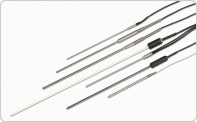
Temperature calibration refers to the calibration of any device used in a system that measures temperature. Most importantly, this usually means the temperature sensor, itself, which is typically a platinum resistance thermometer (PRT or PT-100), thermistor, or thermocouple. Readings from these thermometers are made by “thermometer readout” devices which measure their electrical outputs and convert them to temperature according to the International Temperature Scale of 1990 (ITS-90)

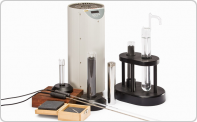
Thermometers are typically calibrated by placing them in a stable temperature environment (heat source) and comparing their output to that of a calibrated “reference thermometer” or “standard thermometer.” Fluke Calibration provides three general categories of heat sources: industrial heat sources (dry-well calibrators, Micro-Baths, etc.) for field use; fluid baths and thermocouple furnaces for laboratory use; and fixed-point cells for “primary” calibrations. Fluke Calibration also offers a variety of reference thermometers, including SPRTs, and thermometer readout instruments.
In addition, Fluke Calibration provides a variety of laboratory and field solutions for calibrating the electronics used in temperature measurement circuits.
Field temperature calibration(or “industrial” or “portable” temperature calibration) applies to thermometers being tested outside of a laboratory environment, typically to accuracies ranging from 5 °C to 0.5 °C. Dry-wells, Metrology Wells, Micro-Baths, IR targets, and other portable heat sources provide stable temperatures, while portable thermometer readouts and thermometer standards can provide reference temperatures beyond that available directly from the heat source.
Laboratory or secondary temperature calibration relates to the calibration of reference-grade PRT or PT-100, precision thermistors, and noble-metal thermocouples. Ultra-stable and uniform temperature baths and horizontal furnaces (for the high temperatures needed by thermocouples) are used along with SPRT reference thermometers and high-accuracy thermometer readouts. Such systems can provide calibration accuracies from 0.5 °C to 0.02 °C.
Fixed-point or primary temperature calibration utilizes fixed-point cells, such as the Triple Point of Water, which provide extremely accurate and repeatable temperature when they are properly “realized,” typically in a laboratory setting. Such systems are used for calibrating SPRTs and noble-metal thermocouples and can be as accurate as 0.001 °C.
In 2001, Fluke acquired Hart Scientific, located in American Fork, Utah. Temperature products continued to be sold under the Hart Scientific label until 2010 when Fluke introduced the Fluke Calibration brand, which includes the Hart Scientific products as well as electrical, RF, pressure, and flow calibration products. Today, some temperature products are manufactured at Fluke headquarters in Everett, Washington, while fixed-point and thermometry products continue to be manufactured in Utah. We continue to rely on the exceptional team of experts that previously made Hart Scientific the world’s leading brand for temperature calibration.
Calibrating a temperature sensor can be a challenge, but is very doable with some know-how and the right products. The first step is to understand the thermometer being calibrated: What type of electrical signal does it output or is it entirely mechanical? What are its physical characteristics (size, shape, size and shape of sensor hidden inside the probe sheath, etc.)? Over what temperature range is it used? And what accuracies are relied on over those temperatures? Can it be calibrated in a laboratory or must it be calibrated in the field or even in-situ?
The answers to these questions help define the products and processes that comprise the right solution for you. One quick and easy way to work through these answers and define a calibration solution that is fully reliable but not overdone is to contact our application experts at 1.877.883.8225 or request a consultation. They have a great deal of knowledge and experience adapting calibration solutions to a wide variety of requirements.
If you have a general idea of what you’re looking for, but want to find just the right product(s) to meet your need, these selection guides provide a quick way to compare our various product offerings and provide links to take you directly to complete information about each product.